
Context
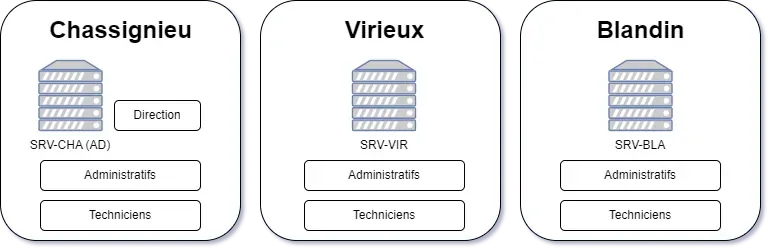
A company has 3 sites, each with 1 Windows server:
- SRV-CHA (AD) in Chassignieu (company headquarters)
- SRV-VIR in Virieu
- SRV-BLA in Blandin
Each site contains 2 departments:
- Administrative
- Technical
And the headquarters contains 3:
- Management
- Administrative
- Technical
Organization Units (OU) Structure
▶️SRV-CHA├── 👨👦👦Management│ ├── GG-CHA-DIR│ ├── 🧑CEO│ └── 🧑HR├── 👨👦👦Administrative│ ├── GG-CHA-ADM│ └── 🧑ADM1C└── 👨👦👦Technical ├── GG-CHA-TECH └── 🧑TECH1C
▶️SRV-VIR├── 👨👦👦Administrative│ ├── GG-VIR-ADM│ └── 🧑ADM1V└── 👨👦👦Technical ├── GG-VIR-TECH └── 🧑TECH1V
▶️SRV-BLA├── 👨👦👦Administrative│ ├── GG-BLA-ADM│ └── 🧑ADM1B└── 👨👦👦Technical ├── GG-BLA-TECH └── 🧑TECH1BThe GG (Global Groups) link users to LGs.
They group all users from the same department.
Each user belongs to their department’s GG.
Shares and Permissions
▶️SRV-CHA├── 📁DATA-CHA│   ├── 📁Tech-Common│   │   └── 🔓GL-SRV-CHA-DATA-TECH-COMMON-FC│   ├── 📁Adm-Common│   │   ├── 🔓GL-SRV-CHA-DATA-TECH-COMMON-FC│   │   └── 🔒GL-SRV-CHA-DATA-ADM-COMMON-R│   ├── 📁Adm-Chassignieu│   │   ├── 🔓GL-SRV-CHA-DATA-ADM-CHASSIGNIEU-FC│   │   └── 🔒GL-SRV-CHA-DATA-ADM-CHASSIGNIEU-R│   ├── 📁Tech-Chassignieu│   │   └── 🔓GL-SRV-CHA-DATA-TECH-CHASSIGNIEU-FC│   └── 📁Management | 🔓GL-SRV-CHA-DATA-MANAGEMENT-FC│       ├── 📁Investments│       └── 📁HR├── 📁PROFILES-CHA└── 📁DBASE-CHA
▶️SRV-VIR├── 📁DATA-VIR│   ├── 📁Adm-Virieu│   │   ├── 🔓GL-SRV-VIR-DATA-ADM-VIRIEU-FC│   │   └── 🔒GL-SRV-CHA-DATA-ADM-VIRIEU-R│   └── 📁Tech-Virieu│       └── 🔓GL-SRV-VIR-DATA-TECH-VIRIEU-FC├── 📁PROFILES-VIR└── 📁DBASE-VIR
▶️SRV-BLA├── 📁DATA-BLA│   ├── 📁Adm-Blandin│   │   ├── 🔓GL-SRV-BLA-DATA-ADM-BLANDIN-FC│   │   └── 🔒GL-SRV-CHA-DATA-ADM-BLANDIN-R│   └── 📁Tech-Blandin│       └── 🔓GL-SRV-BLA-DATA-TECH-BLANDIN-FC├── 📁PROFILES-BLA└── 📁DBASE-BLA
We will use the above topology for this entire practical work.
The steps detailed below indicate the procedure to follow to create each element.
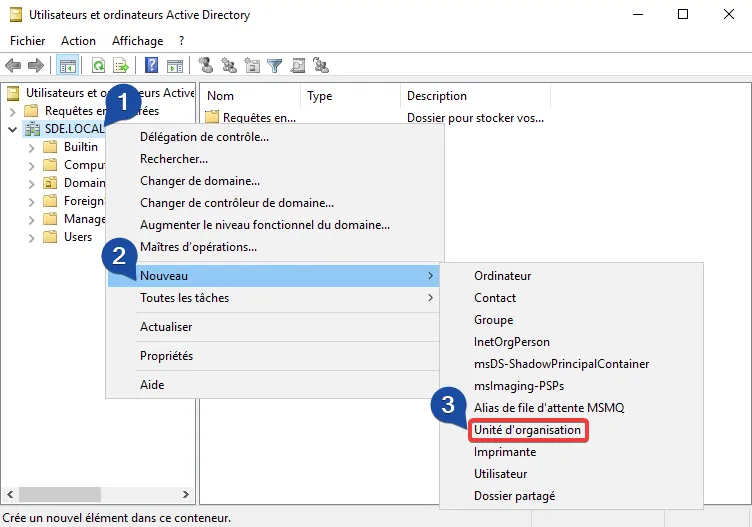
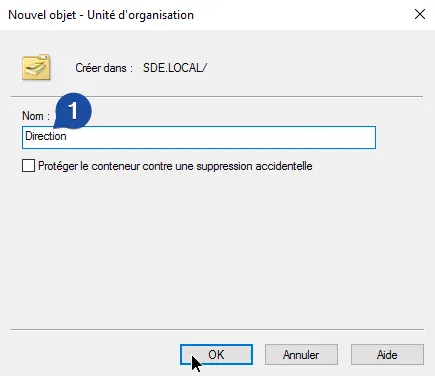
Creating an OU
OU Organizational Unit is an element in Active Directory that allows us to manage a set of elements.
In the diagram above, we can see there are “sub-Organizational Units”:
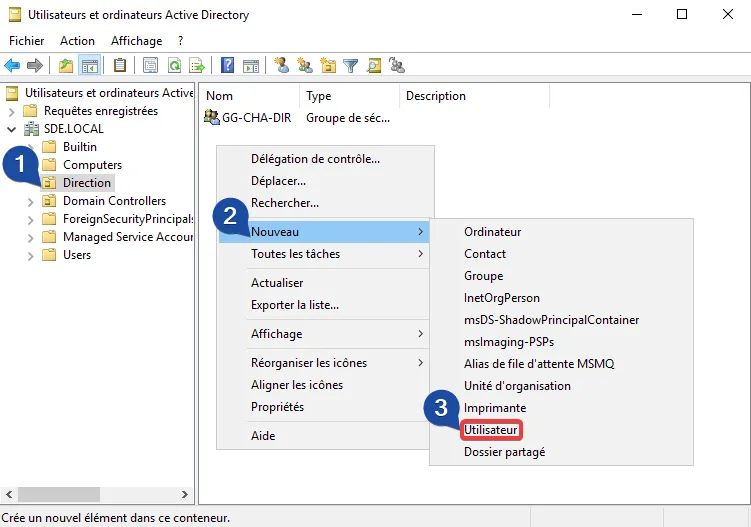
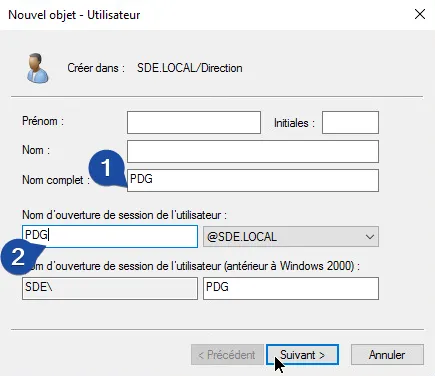
For example: The user: CEO is located in SRV-CHA > Management
So in the sub-OU Management which depends on SRV-CHA
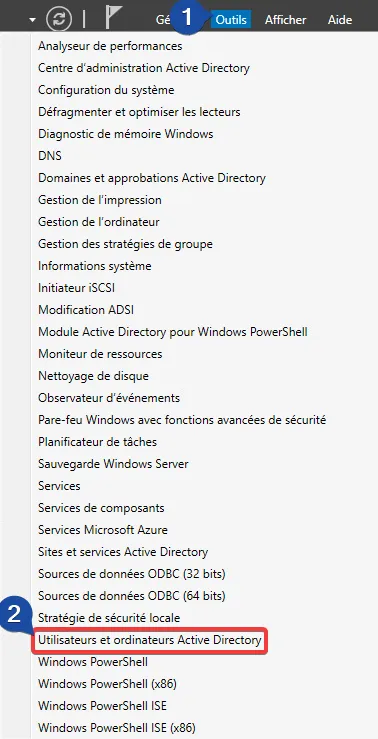
- Go to server
SRV-CHA(active directory):
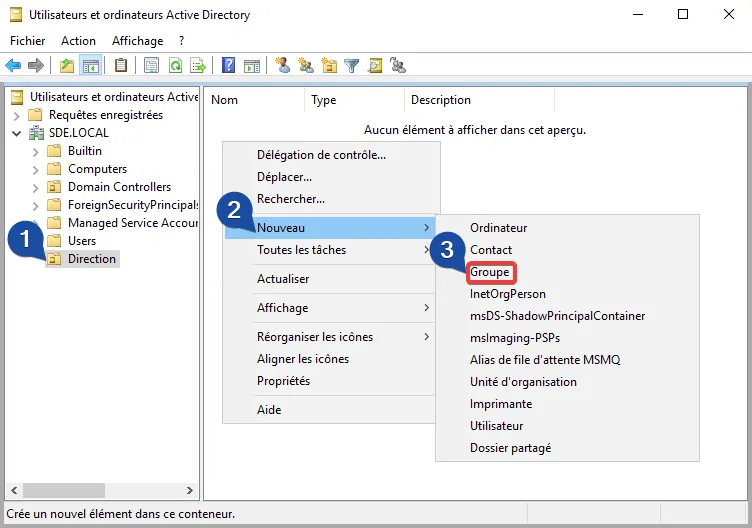
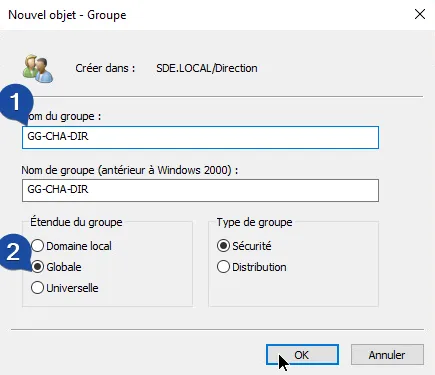
Creating a GG
A Global Group allows grouping one or more users.
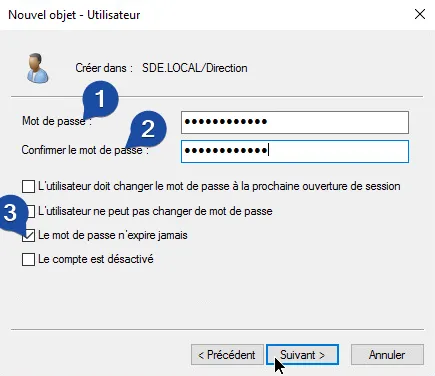
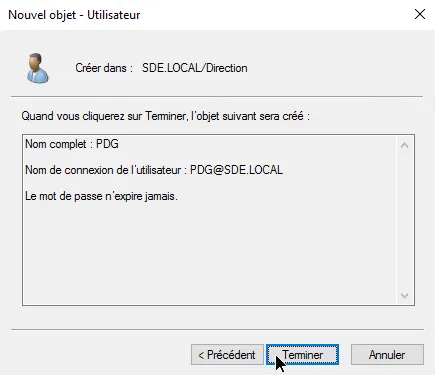
Creating a User
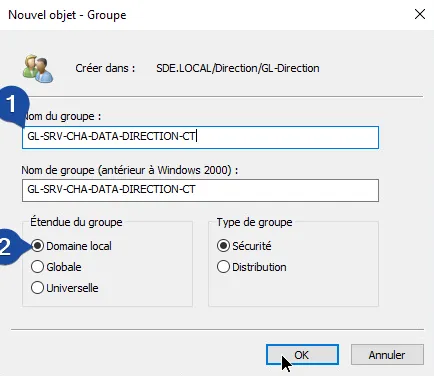
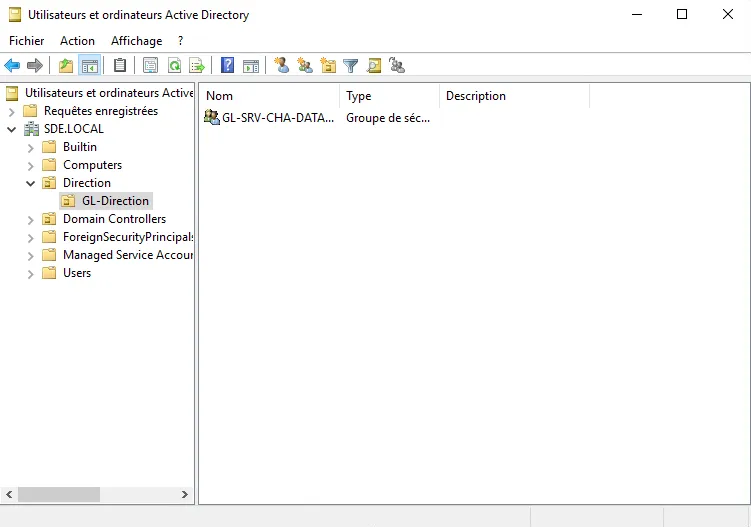
Creating an LG
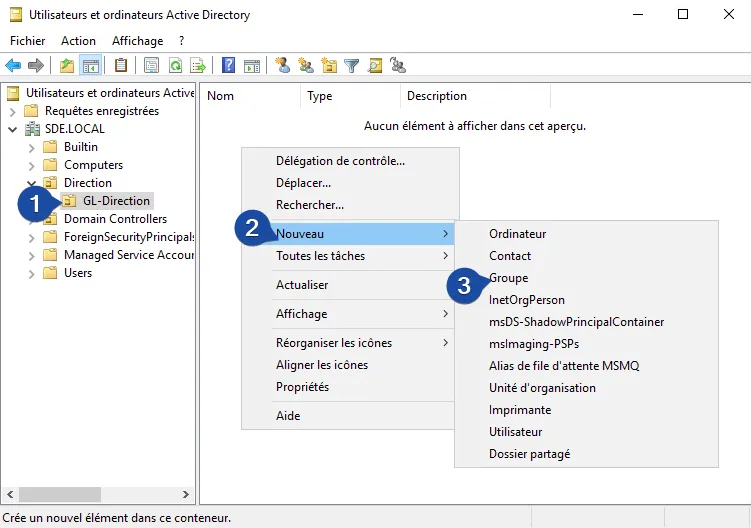
LG (Local Domain Groups) apply rights to resources.
FC Full Control
R Read
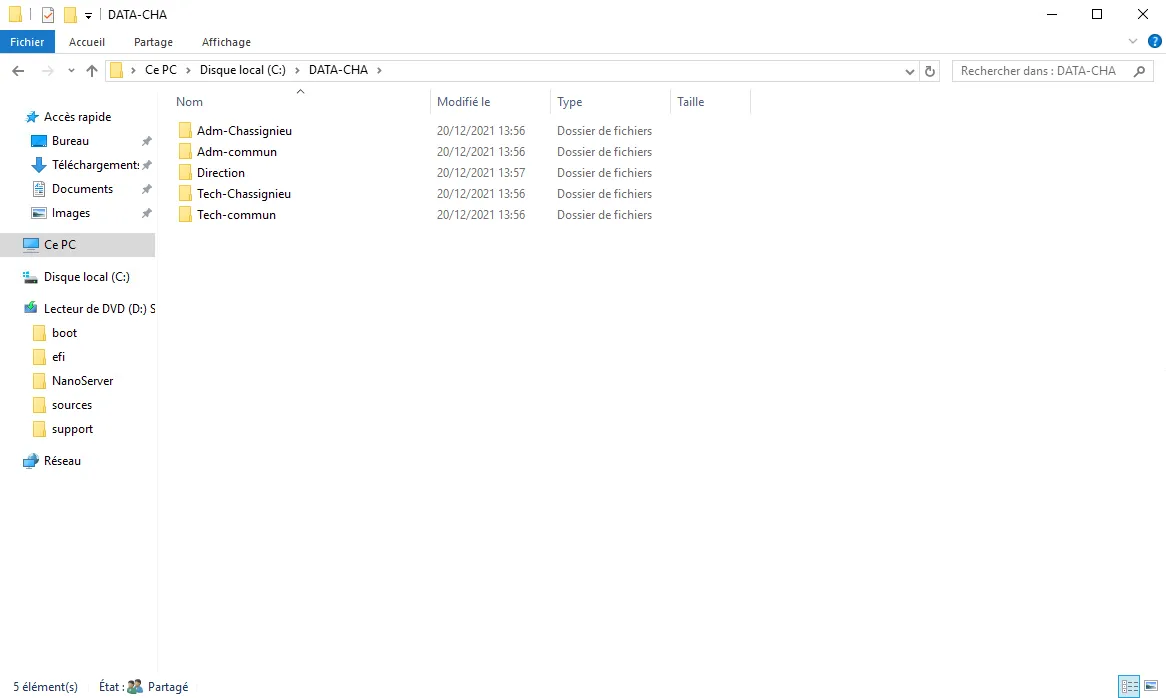
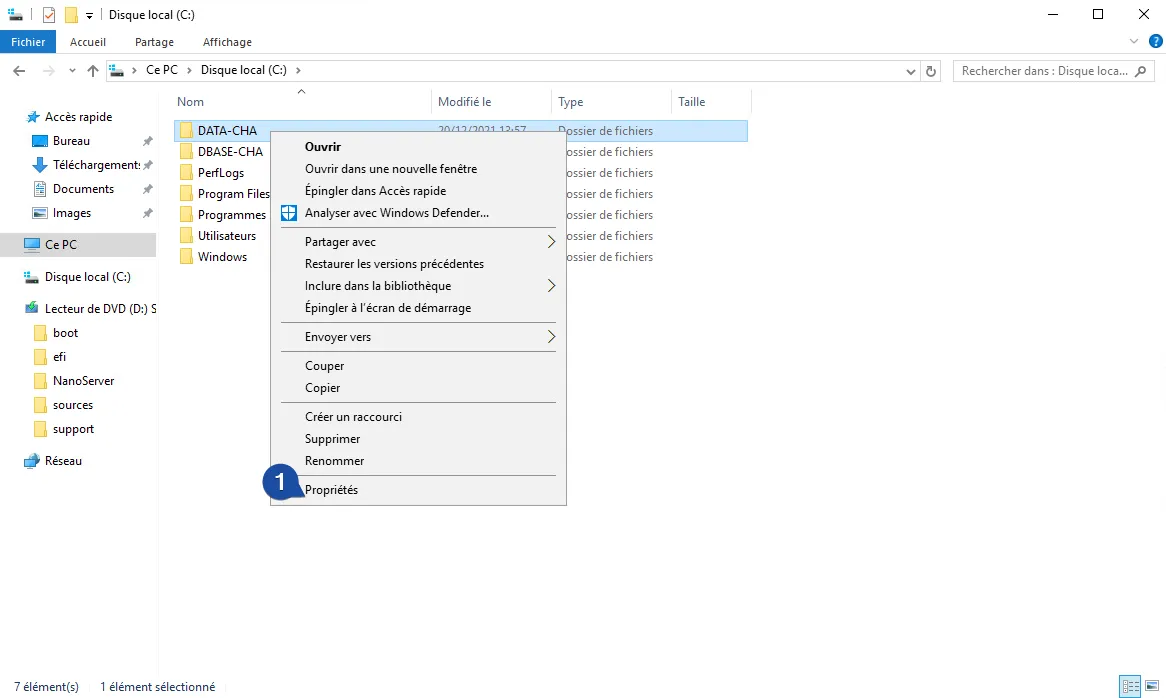
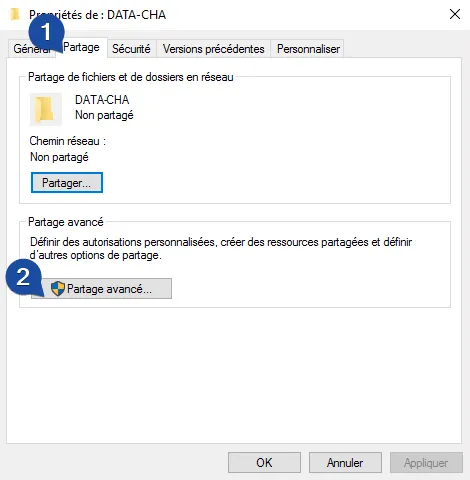
Creating the “DATA” shared folder
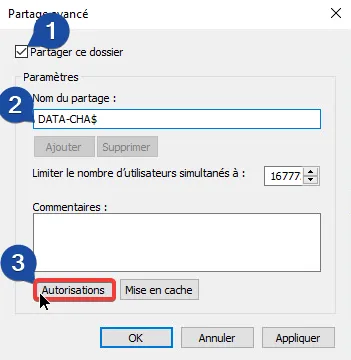
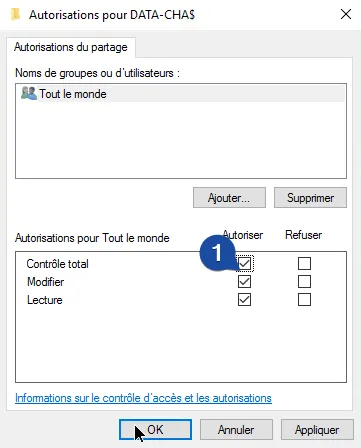
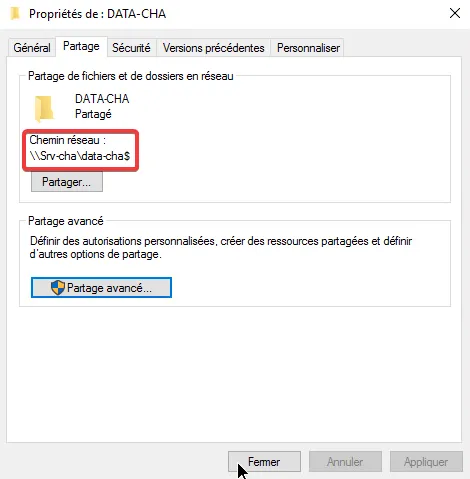
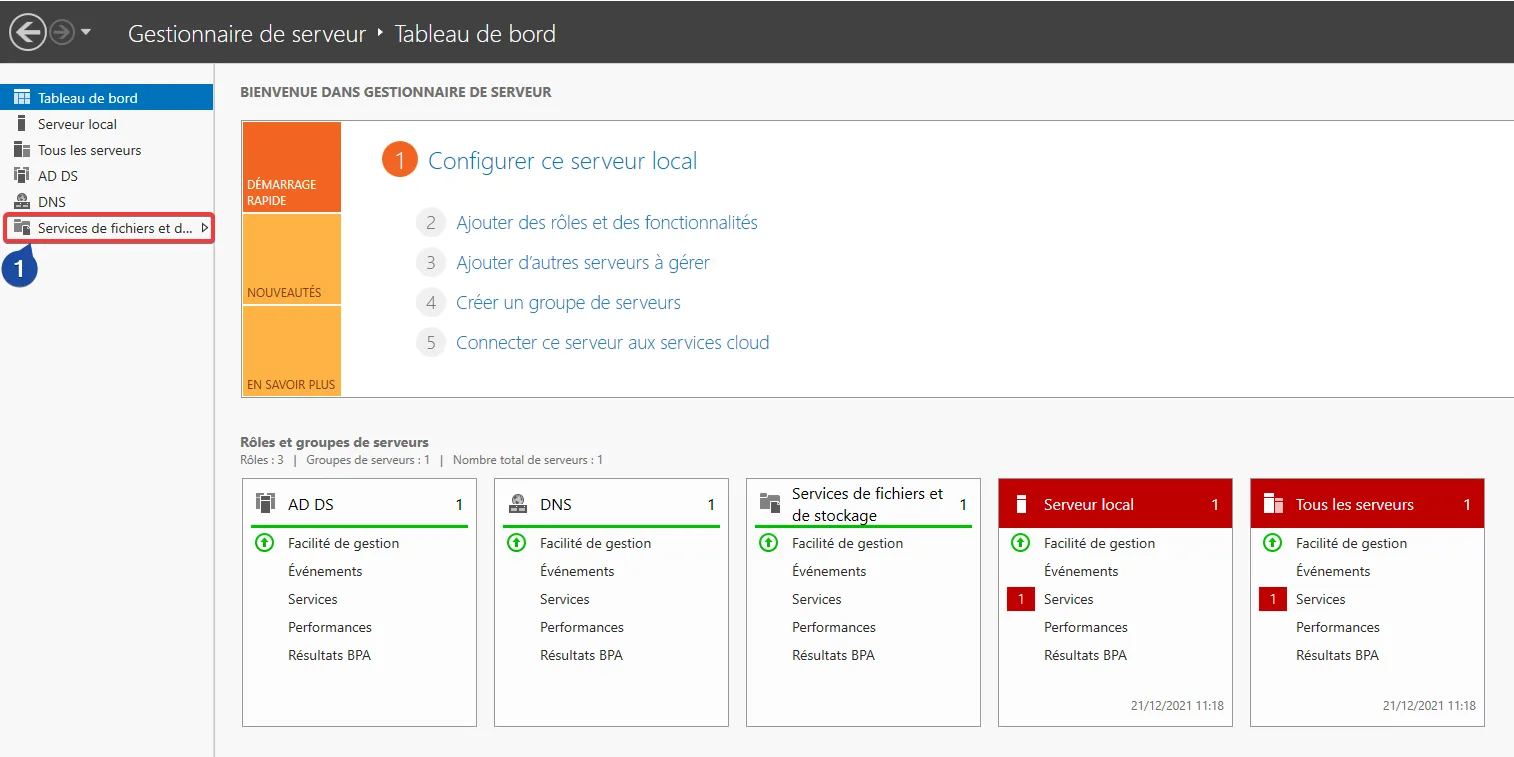
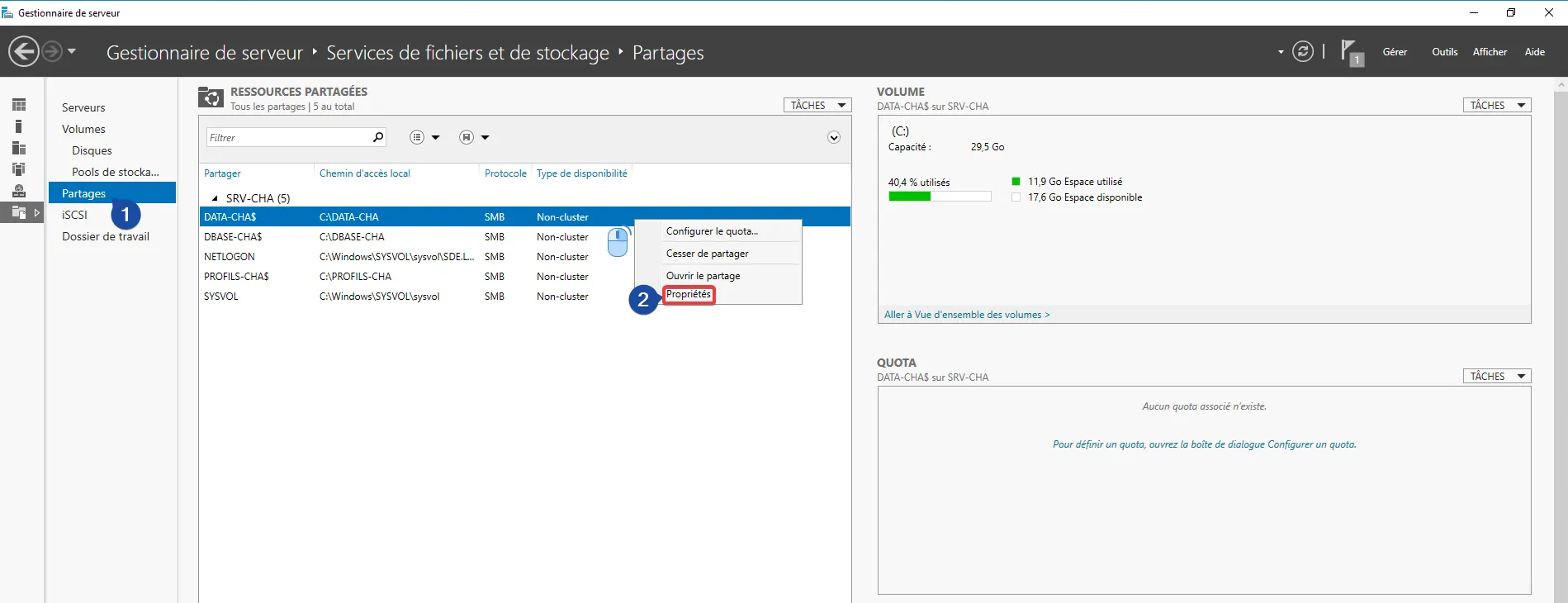
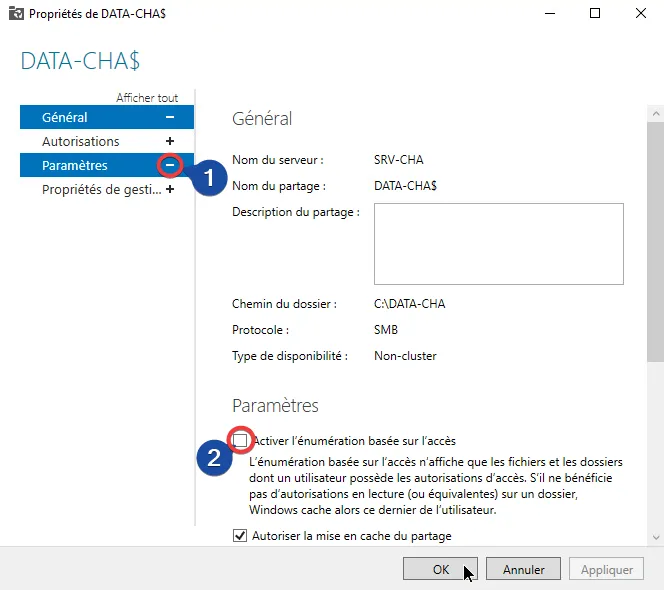
Enable Access-based Enumeration
Enabling enumeration shows only the folders that the user has access to.
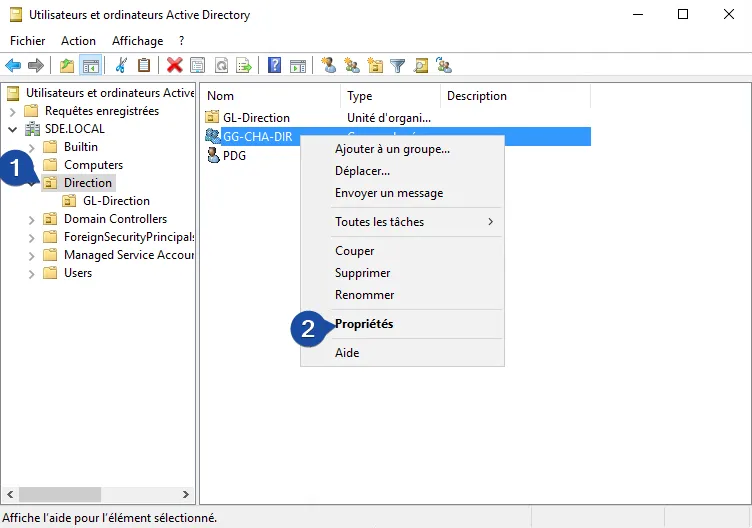
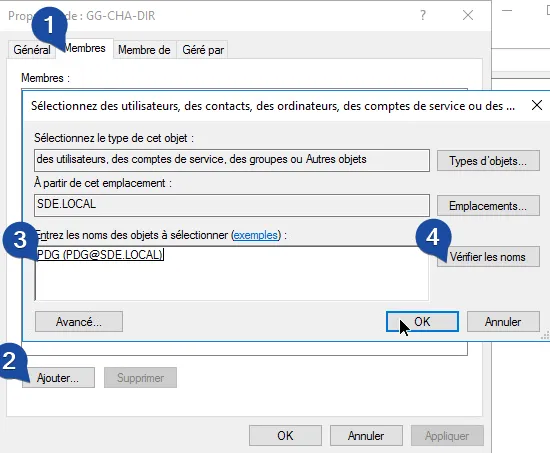
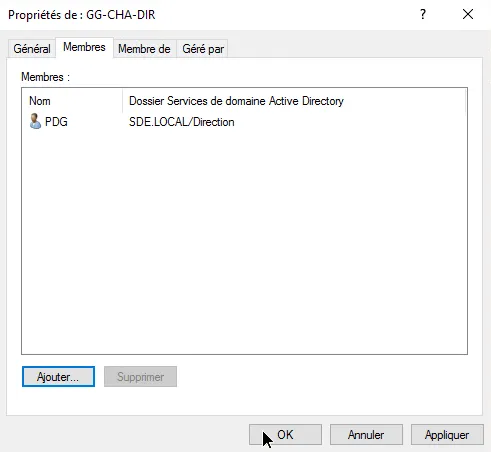
Linking a User to GG
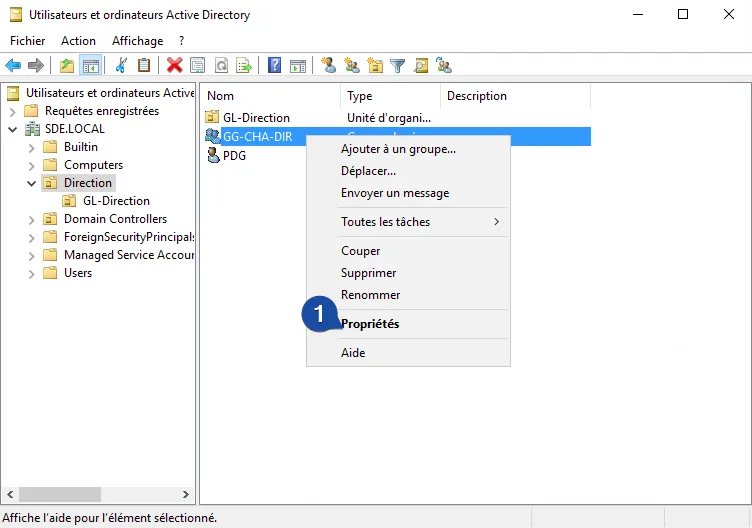
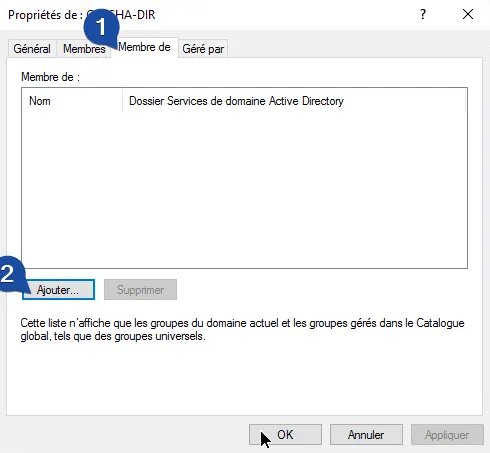
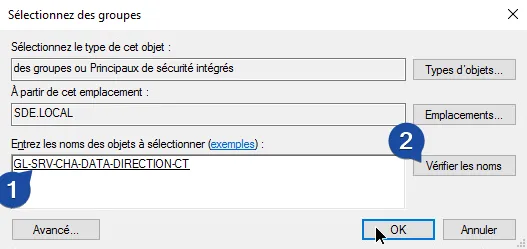
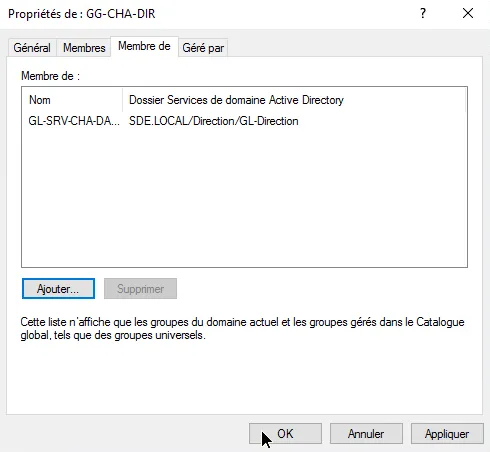
Linking a GG to LG
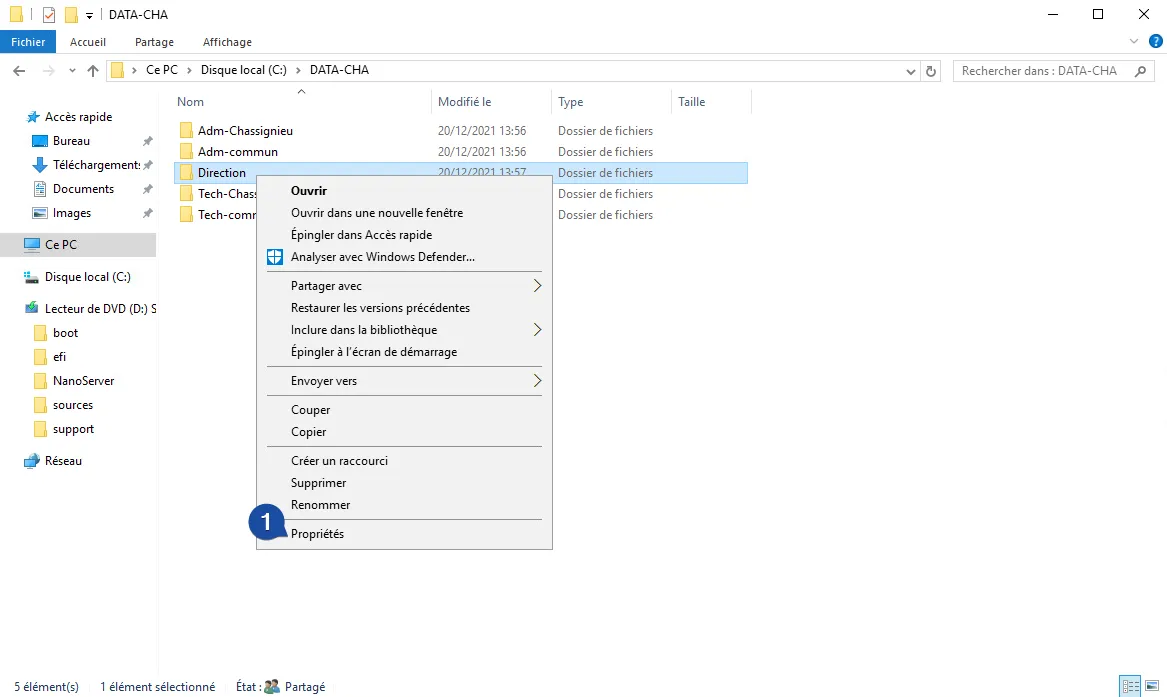
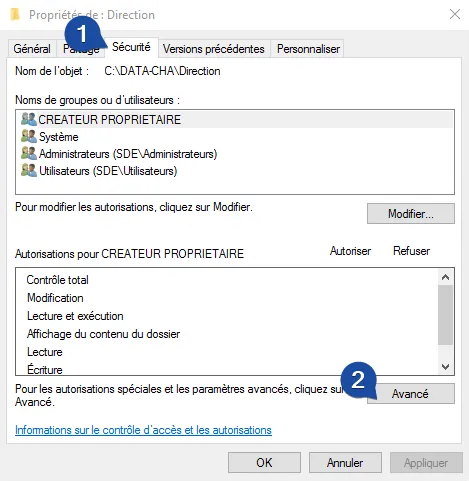
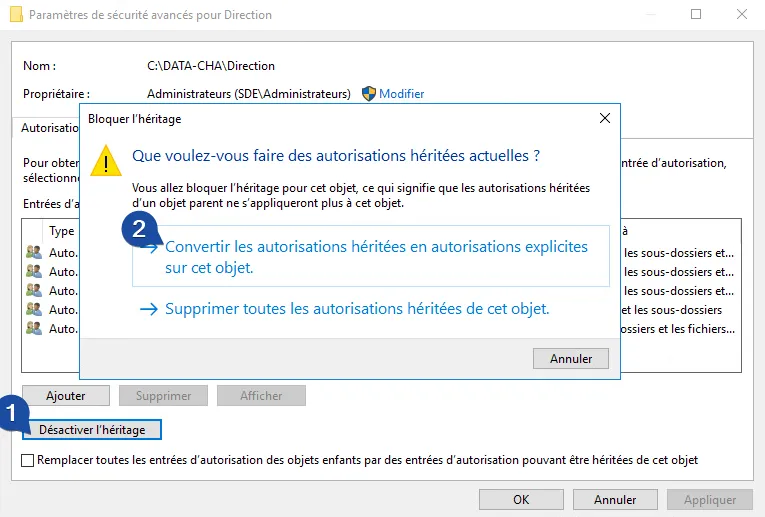
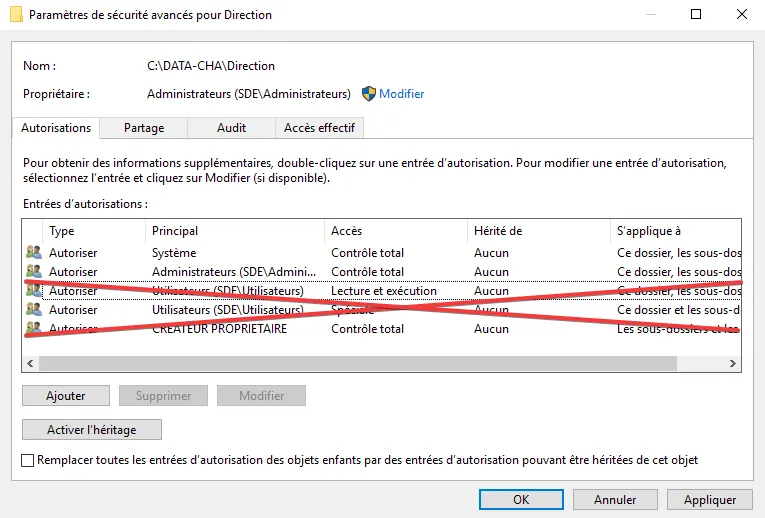
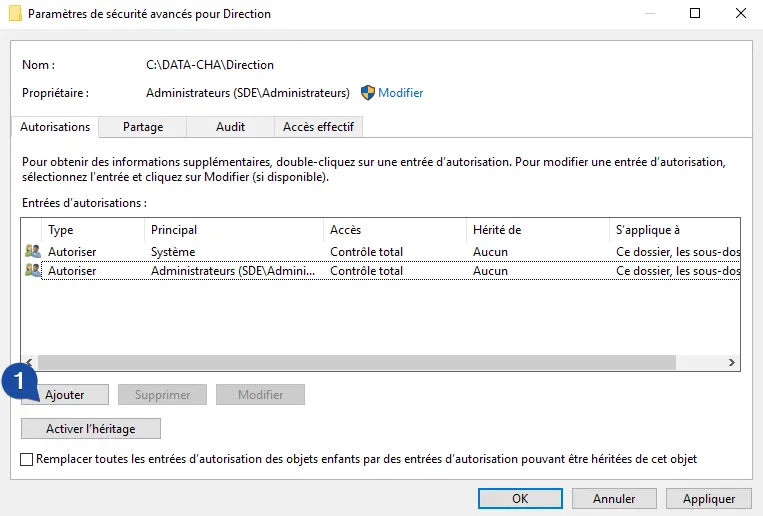
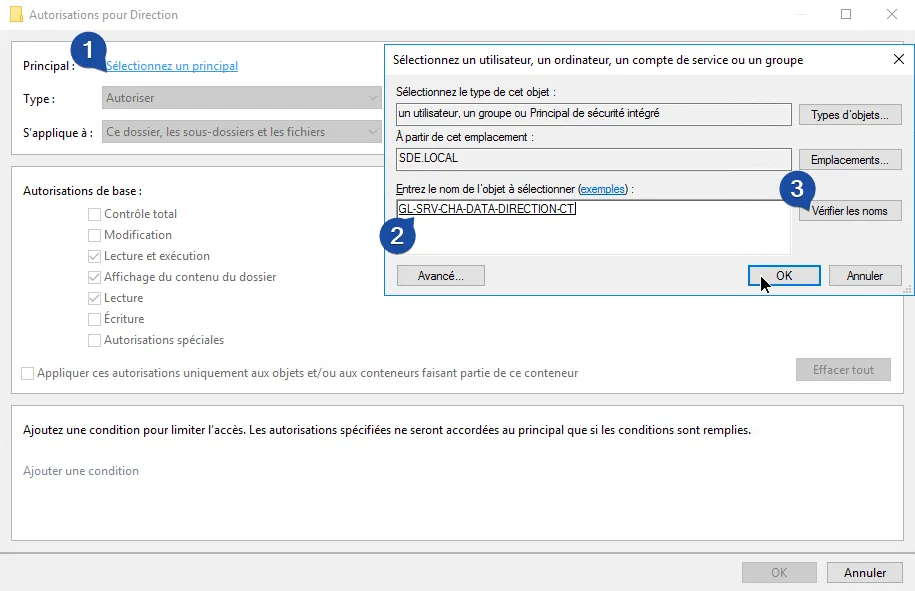
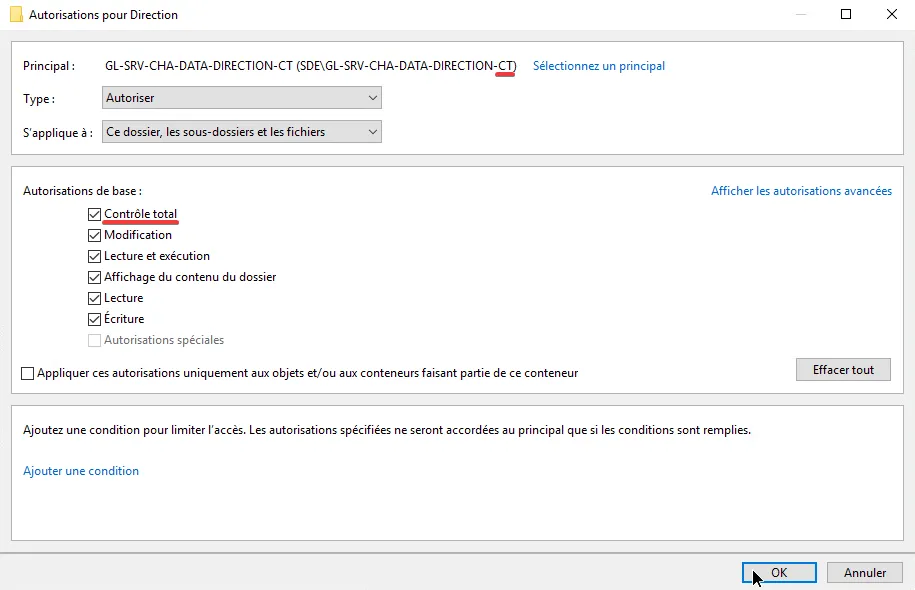
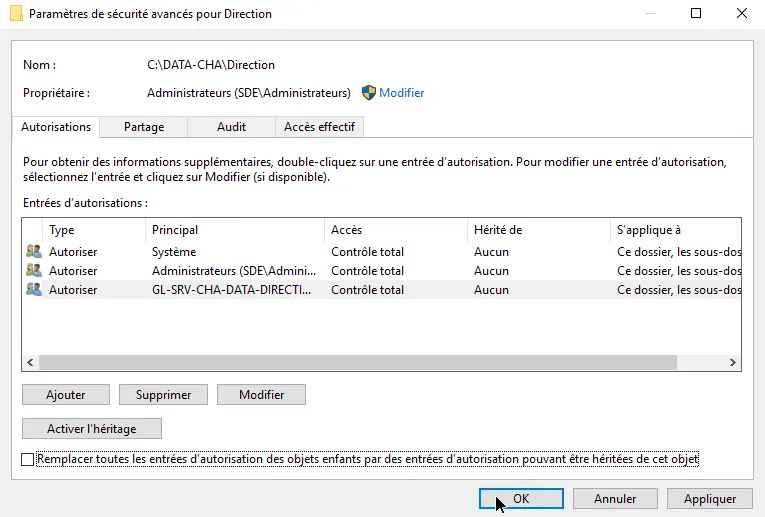
Applying an LG to Shared Directory
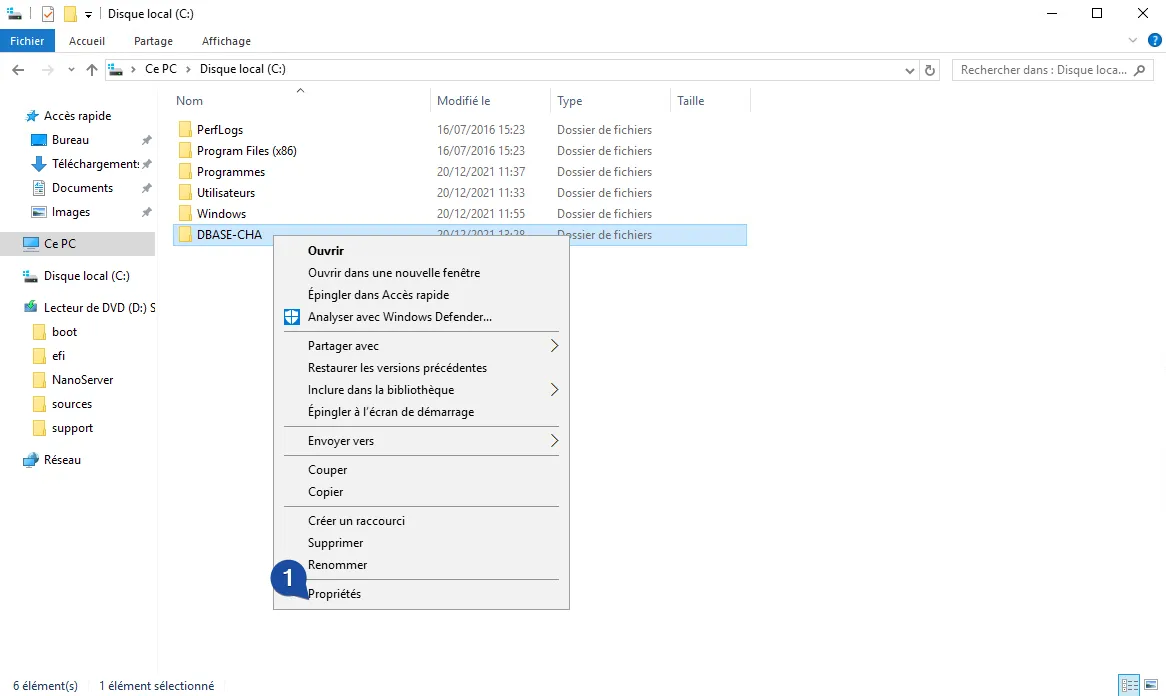
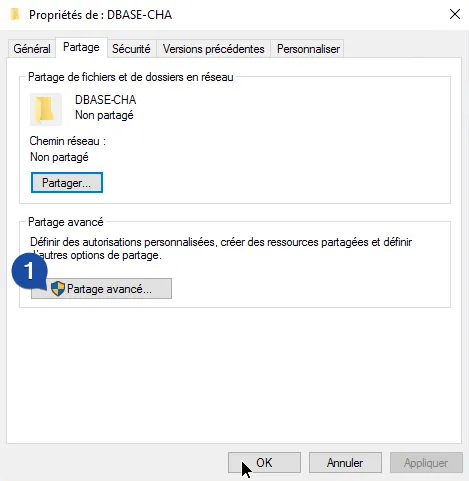
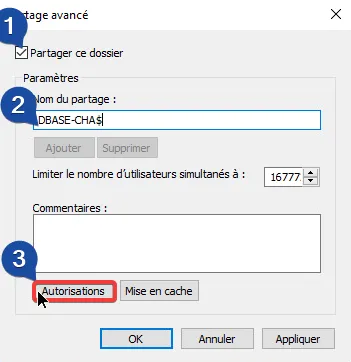
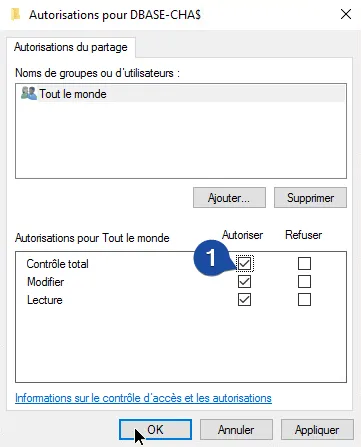
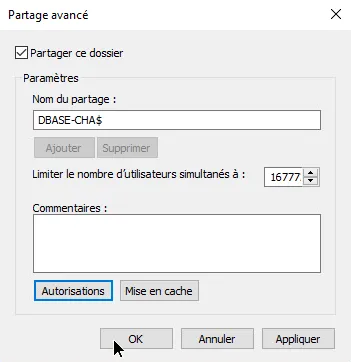
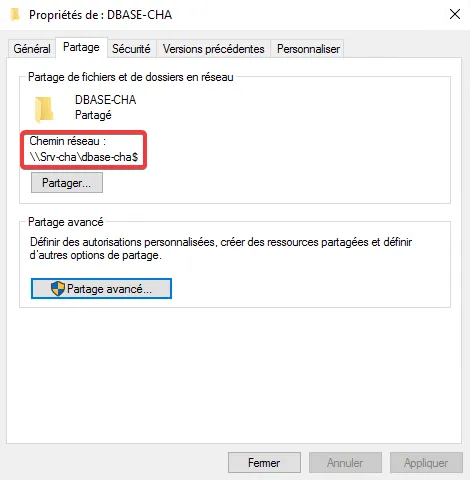
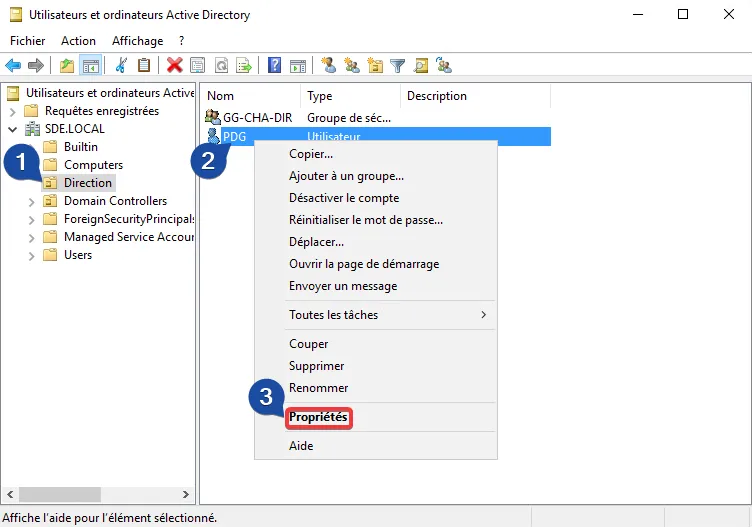
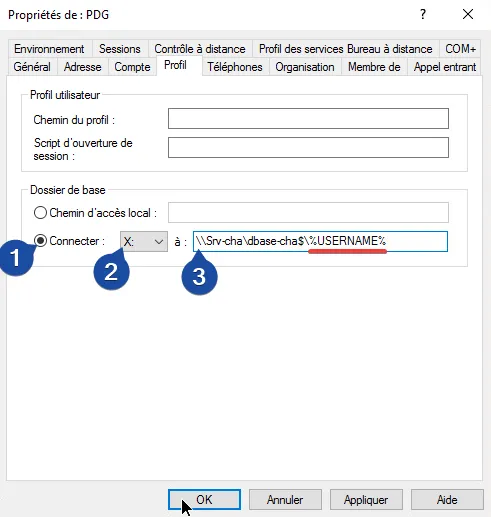
Base Folder
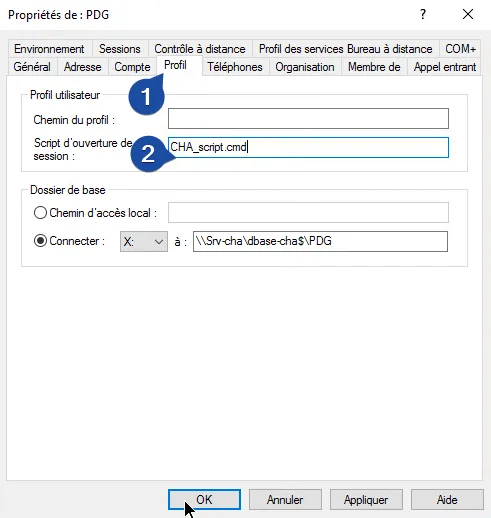
The base folder is simply an empty directory for each user, where they can store their documents for example. This folder is in a shared path.
Mapping Network Drives
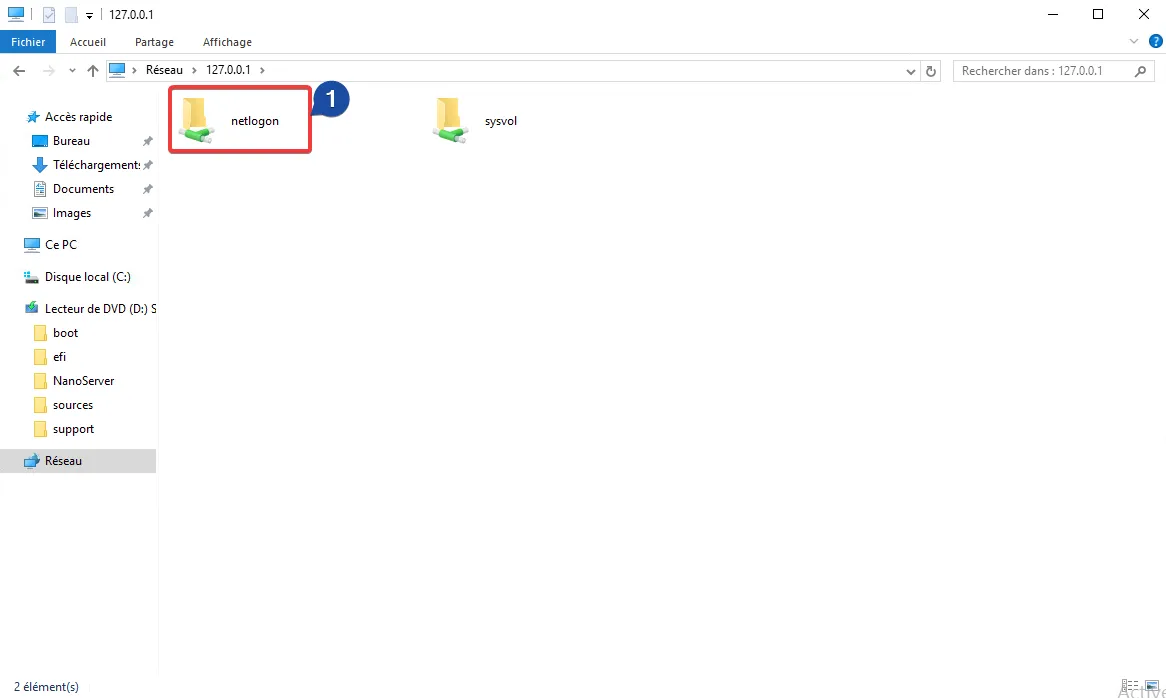
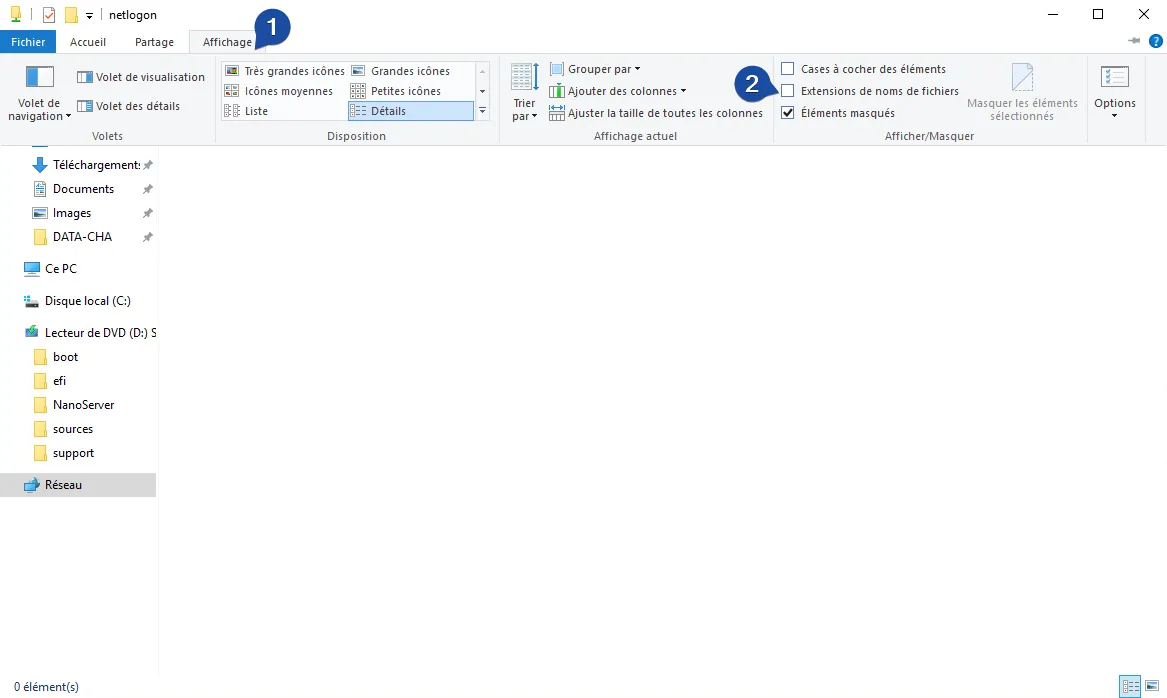
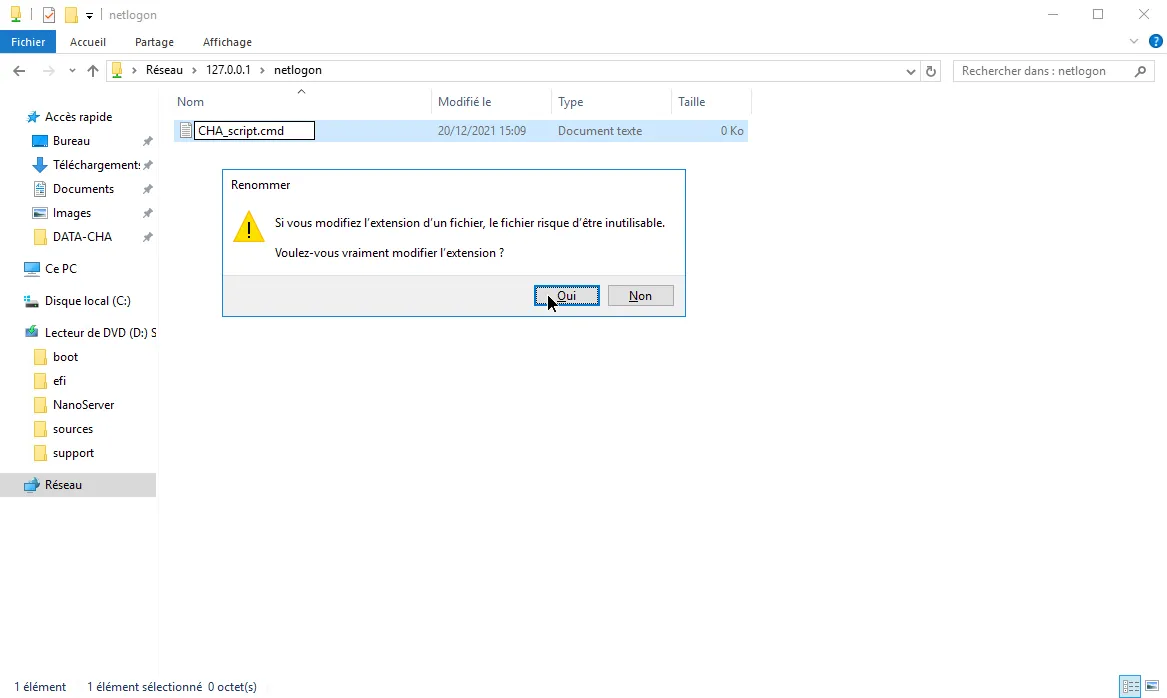
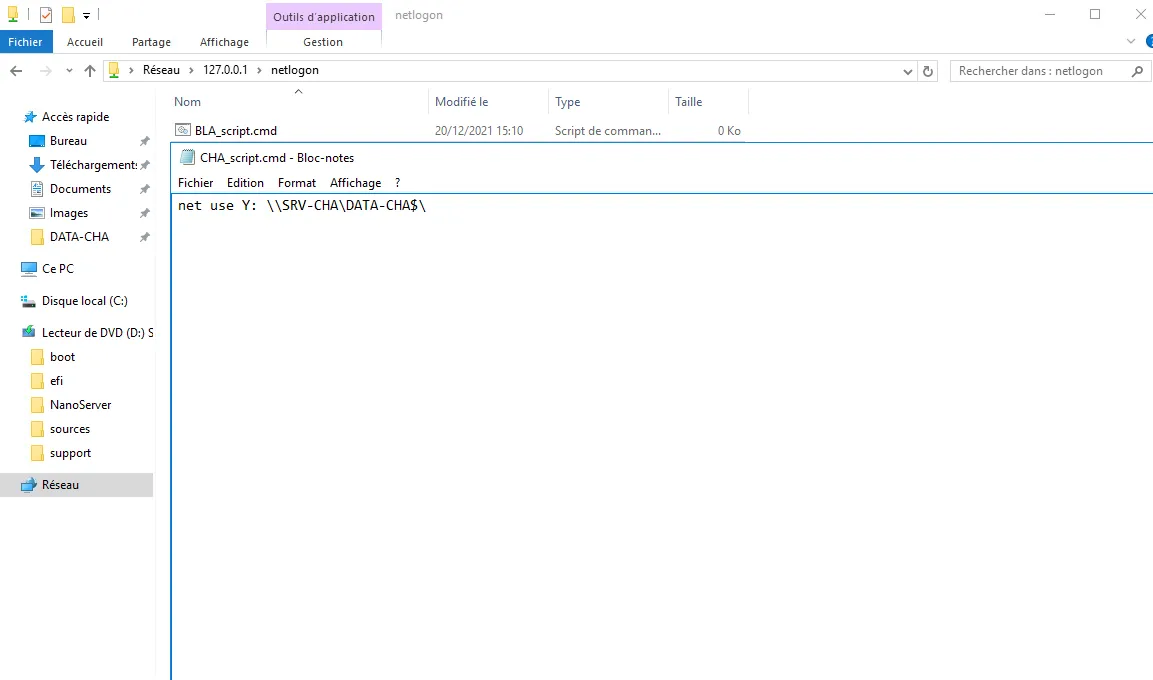
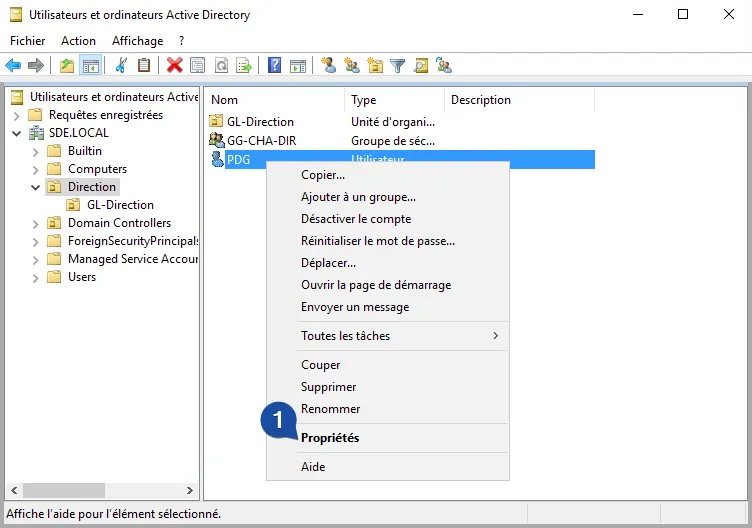
Each user will automatically map 3 network drives to their session (common, partitioned, and base folder, depending on their location), using the script assigned to them:
net use Y: \\SRV-CHA\DATA-CHA$Note
Contains only 2 since both Common and Partitioned folders are in DATA-CHA
net use Y: \\SRV-CHA\DATA-CHA$net use Z: \\SRV-VIR\DATA-VIR$net use Y: \\SRV-CHA\DATA-CHA$net use Z: \\SRV-BLA\DATA-BLA$Example: Let’s take the example of a user in Blandin:
-
X:will contain the shared directory\\SRV-BLA\DBASE-BLA$\USER_NAME -
Y:will contain the common shared directory\\SRV-CHA\DATA-CHA$(user will only see folders where they have access (minimum read) from the common share). -
Z:will contain the shared directory\\SRV-BLA\DATA-BLA$if I’m in Blandin (user will only see folders where they have access (minimum read), site partitioning).
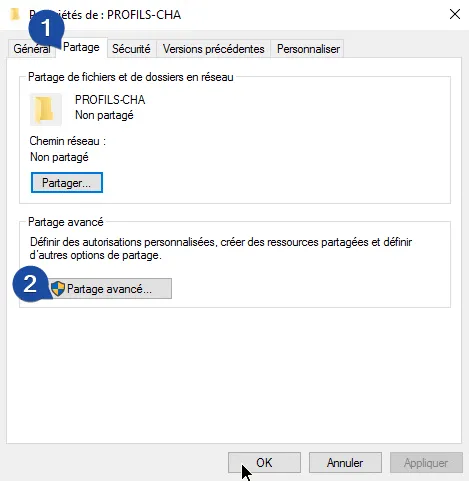
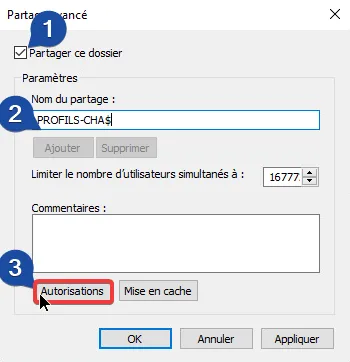
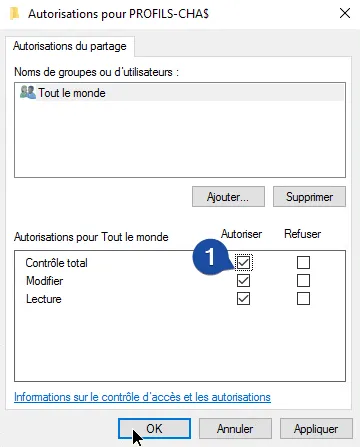
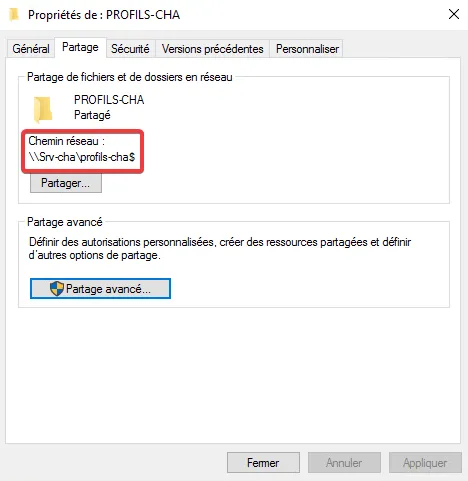
Roaming Profiles
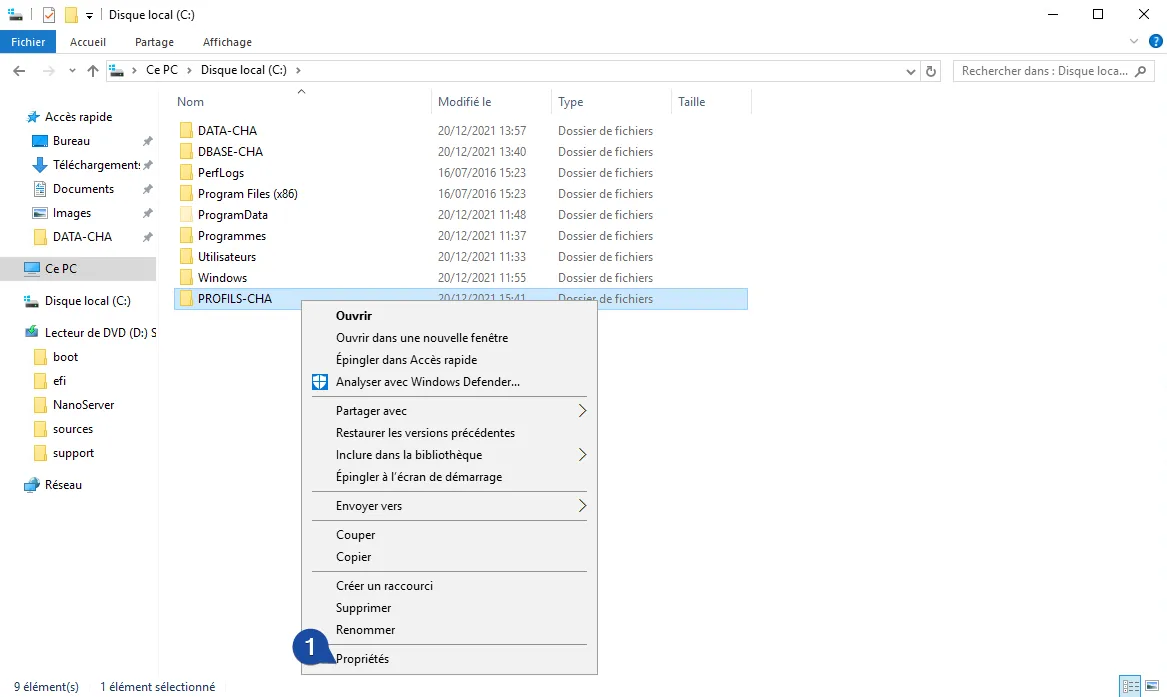
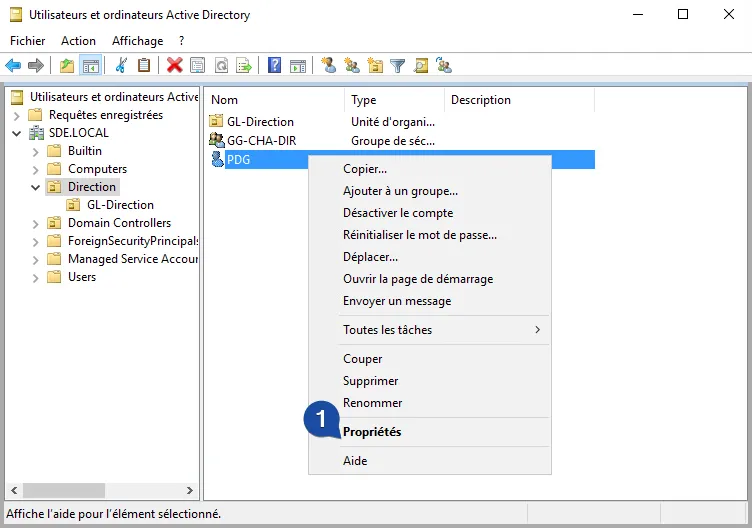
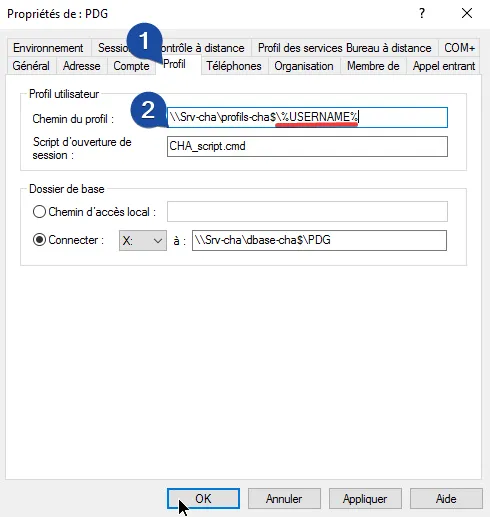
Roaming Profiles facilitate machine or location changes. The user profile is stored remotely on a shared directory.
Testing a Domain User
Warning
You must be a local administrator of the machine to join the domain.